InvestNaija walkthrough — funding and buying halal-listed stocks (Nigeria)
A practical step-by-step for the InvestNaija app in Nigeria: KYC, funding your account through Paystack, placing a buy order, how fees differ from riba, and what to double-check before you trade.
Educational only. You must screen tickers, read fee schedules, and confirm product terms. Stock halal status changes — cross-check with something like the Nigeria halal stock tracker snapshot and fresh financials.
What is InvestNaija?
InvestNaija is a Nigerian brokerage app for buying and selling NGX-listed stocks from your phone.
Compared with Lotus Capital or One17 Capital (more mutual-fund / portfolio style), InvestNaija is direct single-stock access — which means more responsibility on you to pick and screen names.
Links
1. Download and sign up (KYC)
- Install the app from the stores above.
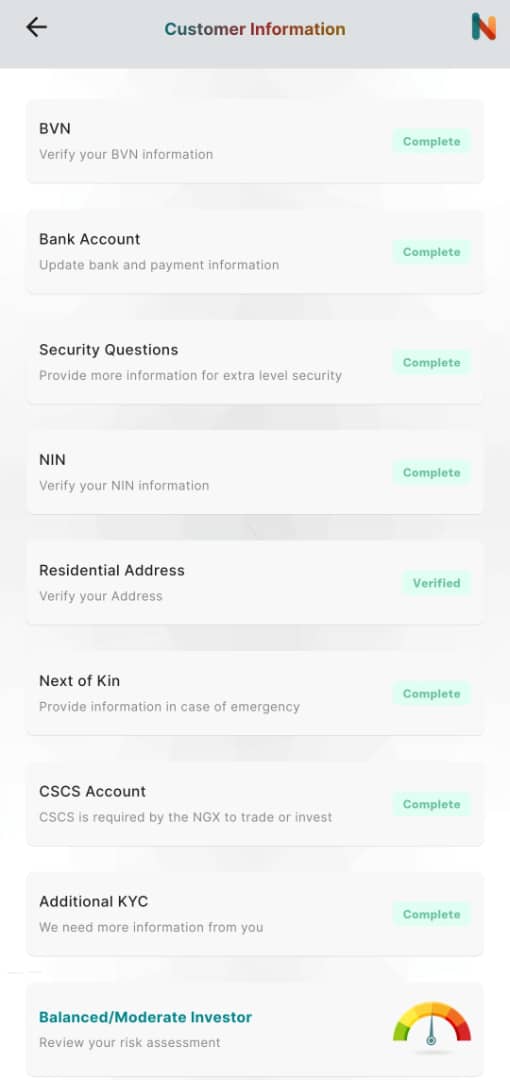
- Complete KYC — typically BVN, bank account, NIN, address, next of kin, CSCS number (needed for NGX settlement), security questions, and a risk questionnaire.
CSCS = Central Securities Clearing System — standard for Nigerian equities.
- After approval you should see the main tabs such as Home, LearnIN, SaveIN, InvestIN, Profile.
2. Fund your trading account
- Open InvestIN.
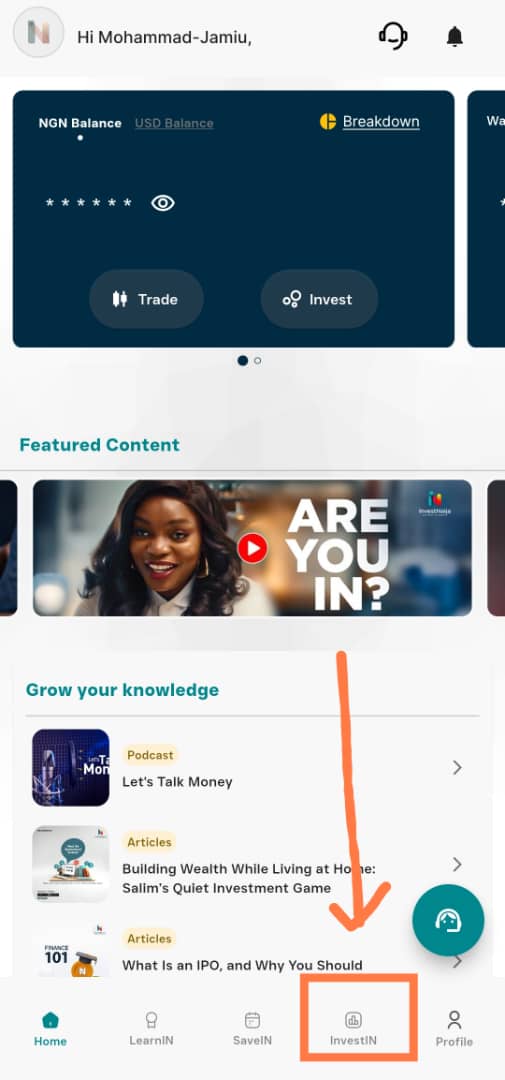
You should see cards similar to NGN trading balance, View portfolio, and Explore securities.
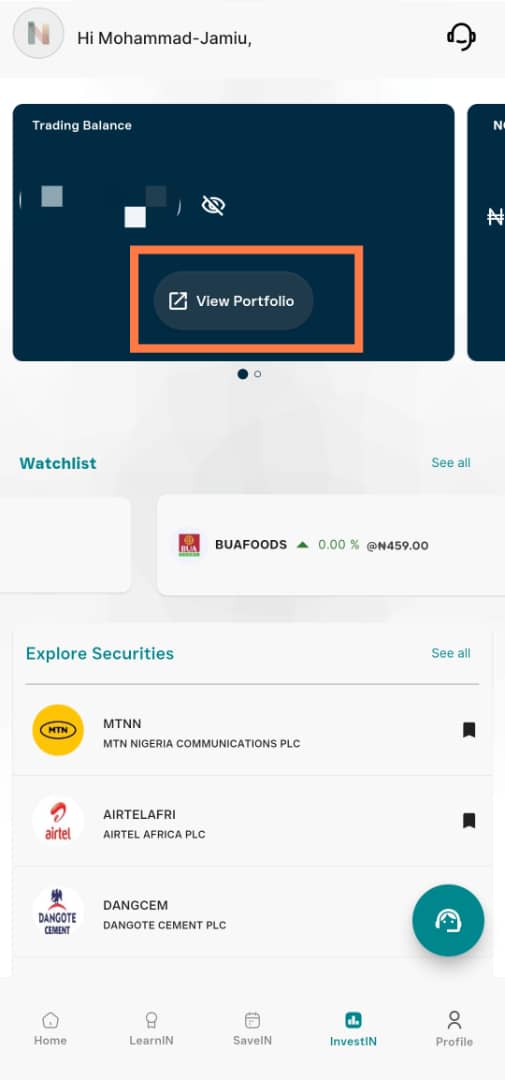
- Tap View portfolio on the first card.
- Tap Fund account.
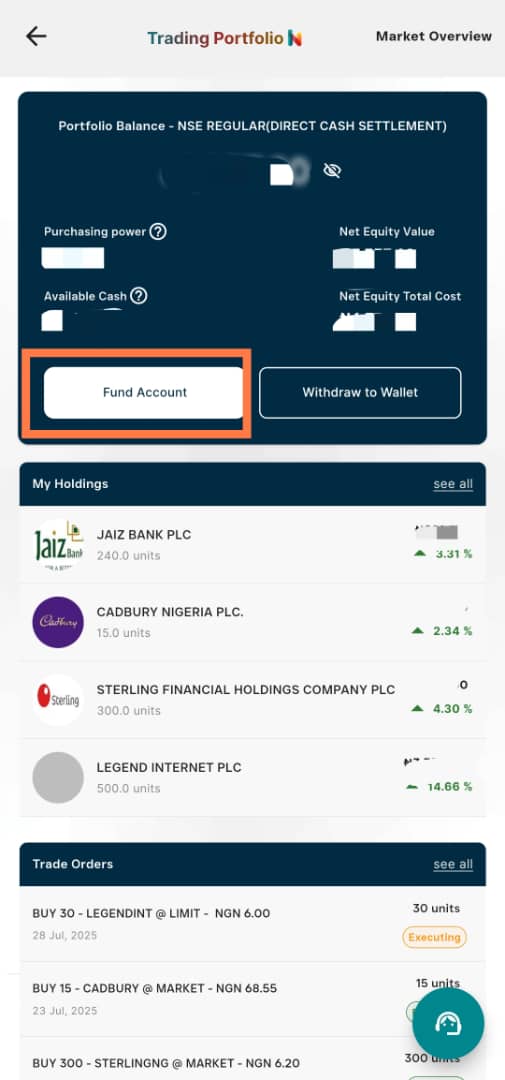
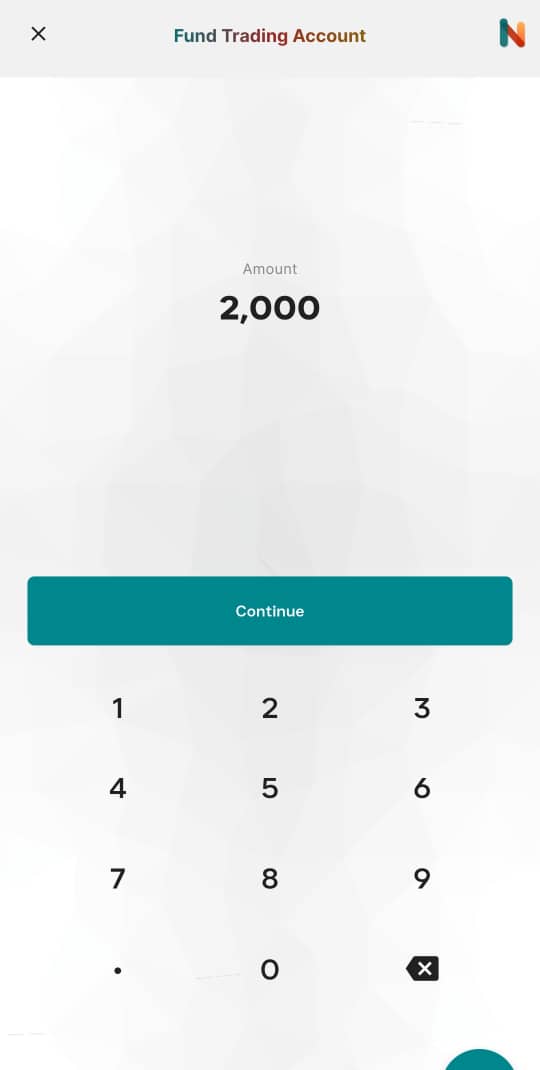
- Enter an amount (example: ₦2,000).
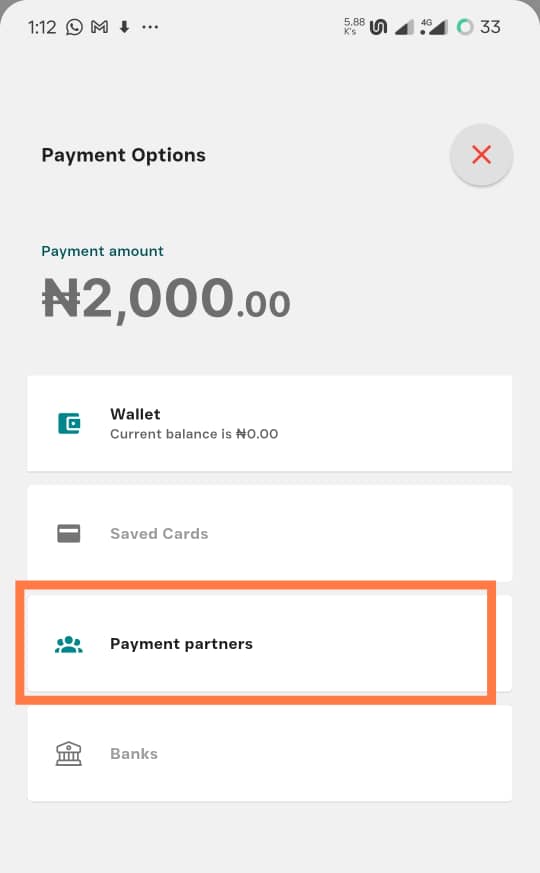
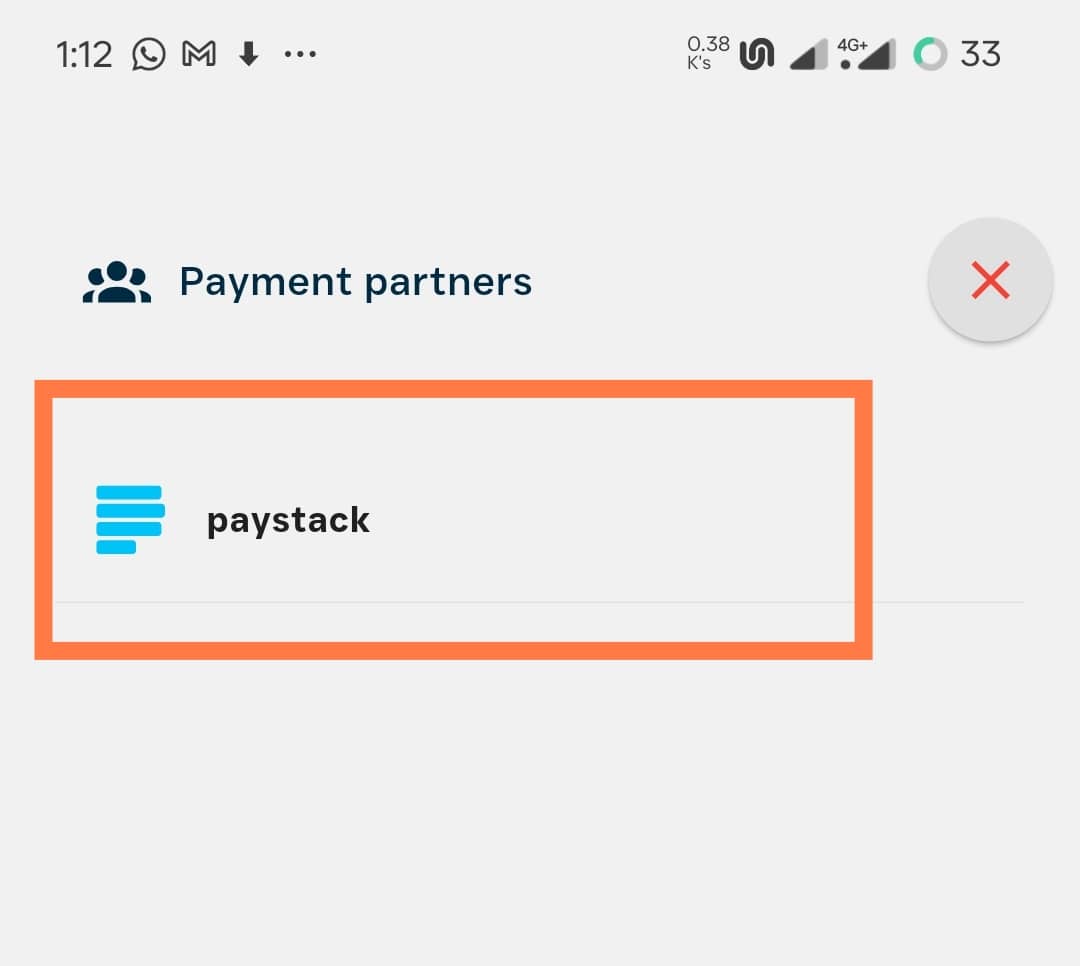
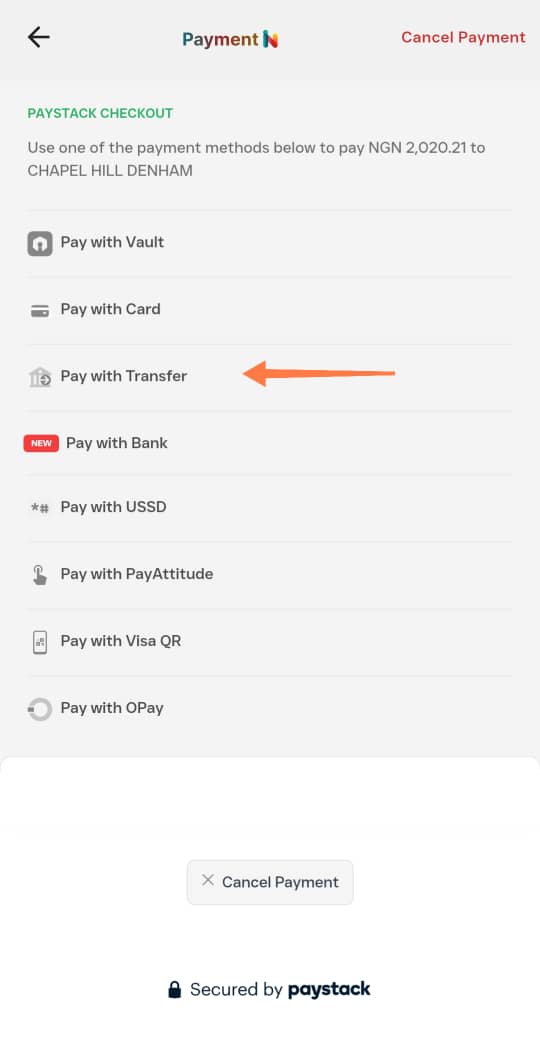
- Choose Paystack → Other payment methods as the flow allows.
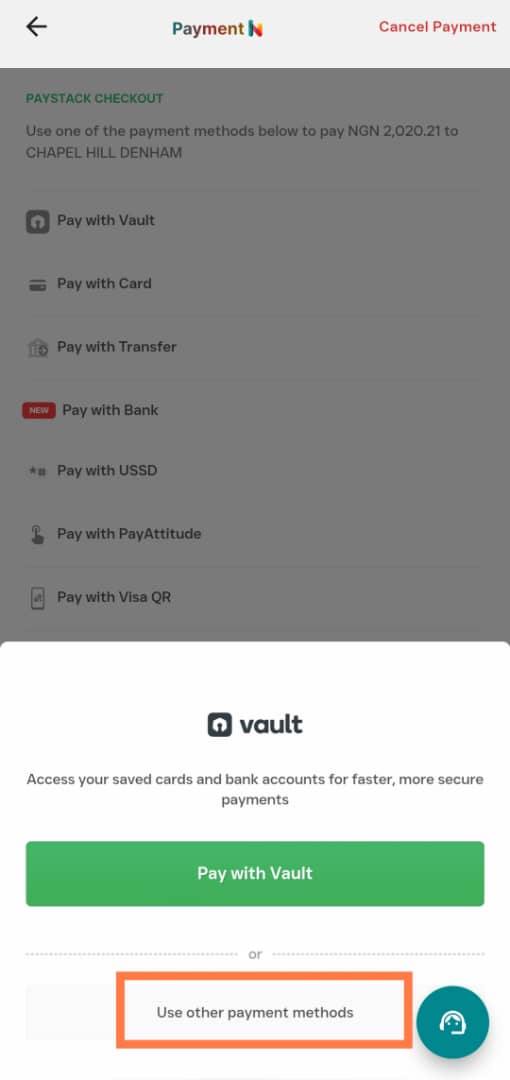
- Select Pay via transfer when offered.
You should see bank name, virtual account number, and amount.
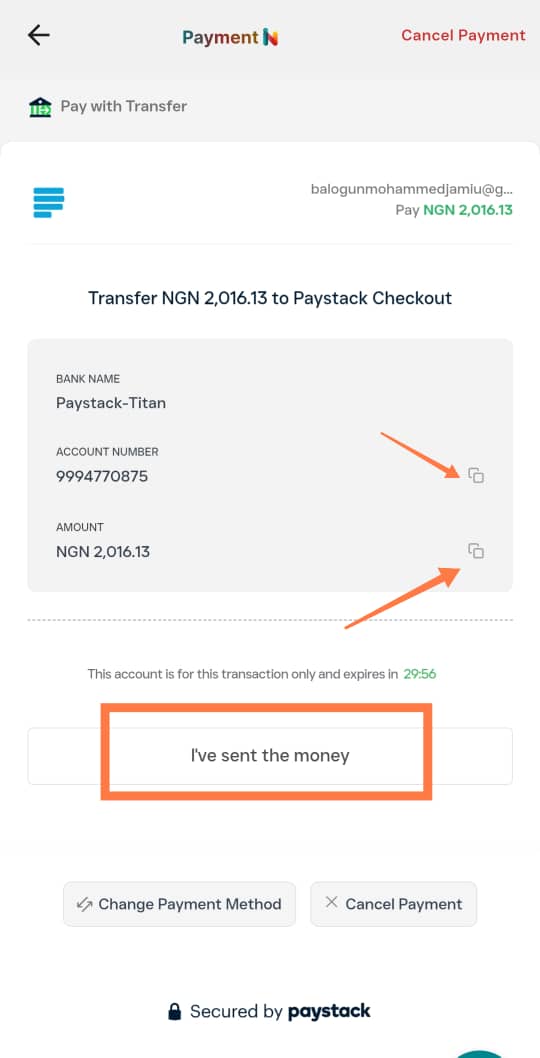
- After you send the transfer, tap I’ve sent the money (or the equivalent confirmation).
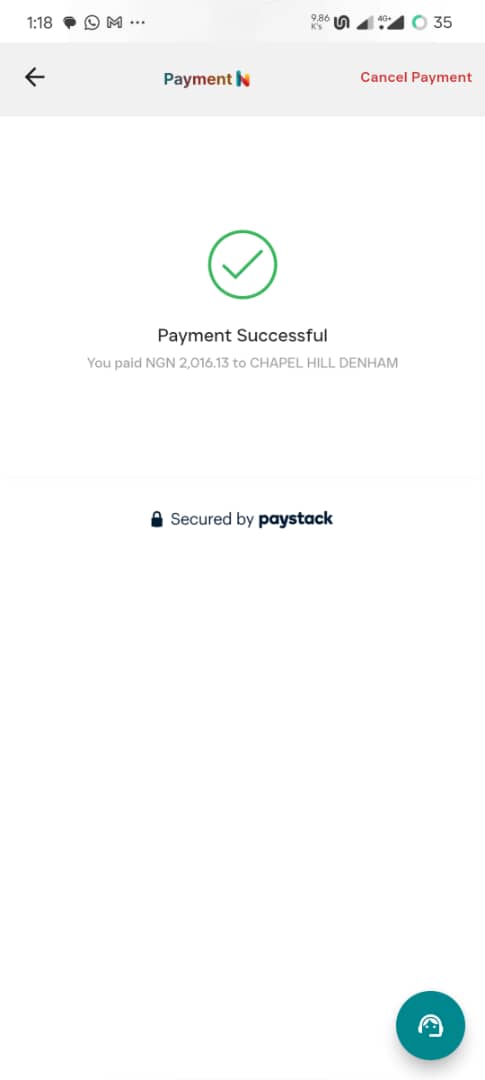
When it clears, your NGN trading balance should update.
3. Buy a stock (example flow)
The notes I wrote used Dangote Sugar only as a UI example. In the Nigeria halal stock tracker snapshot, that name failed a common debt screen — use this section to learn where the buttons are, not as a recommendation to buy any specific ticker.
- From InvestIN, move to the portfolio card (often the second card in the row).
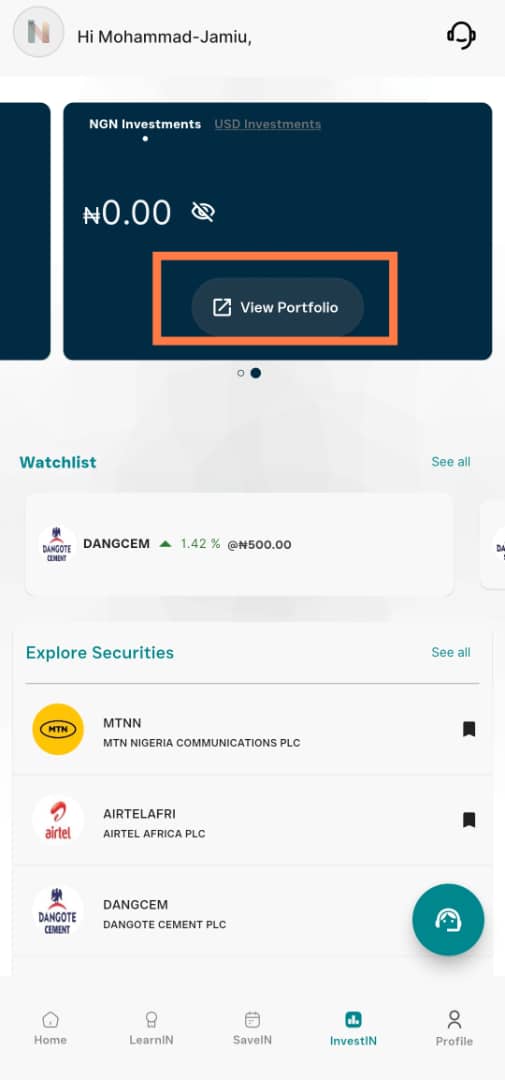
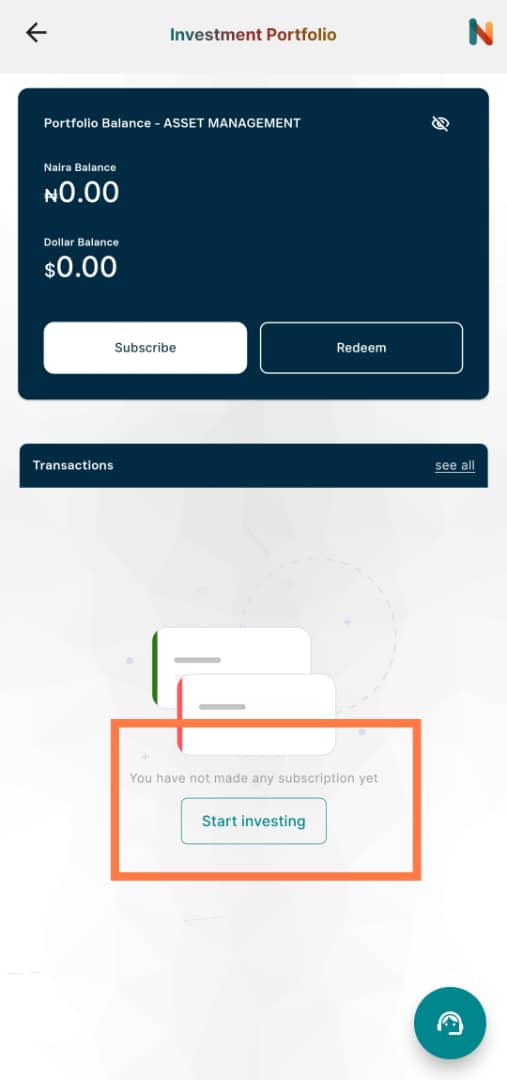
- Tap View portfolio → Start investing.
- Browse the issuer list.
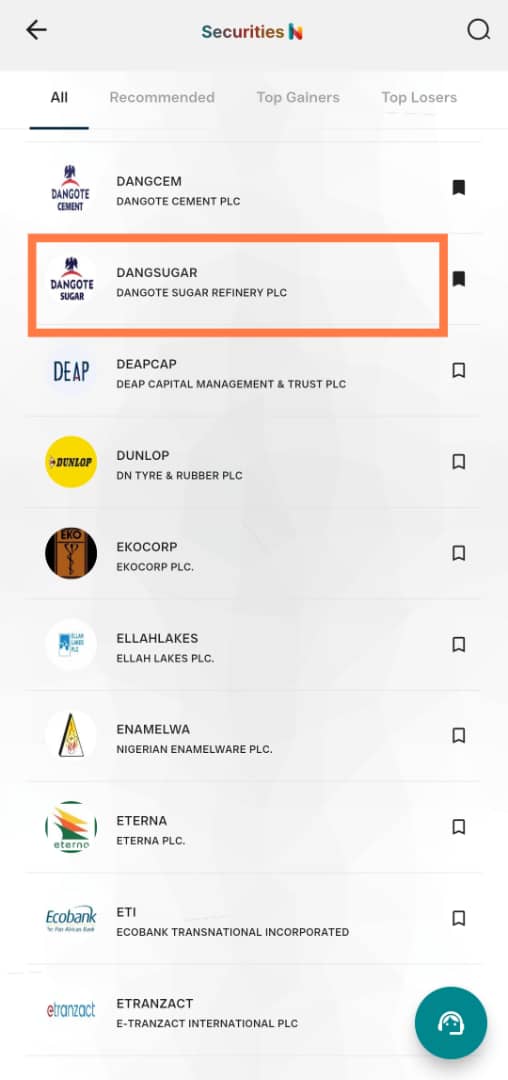
- Tap a company to open its quote screen.
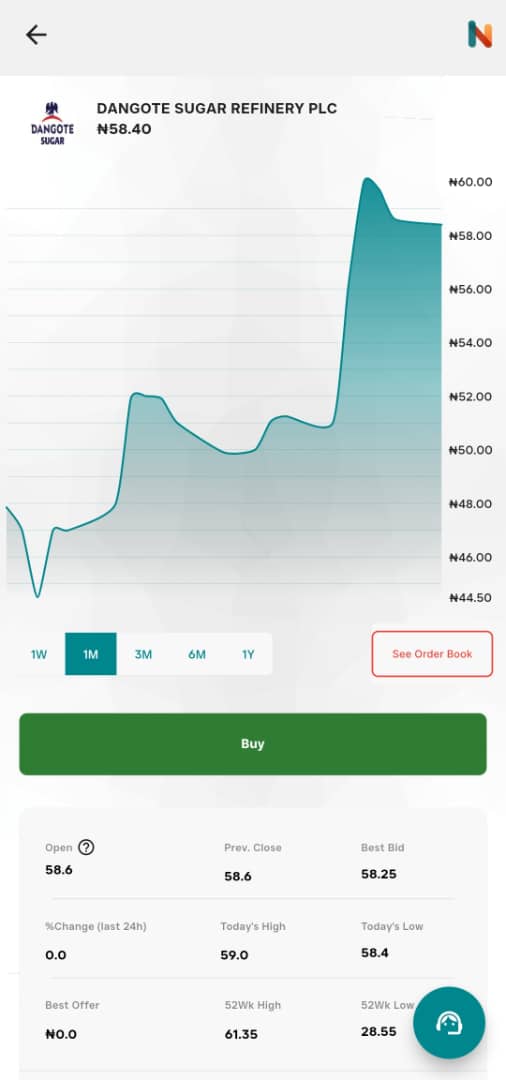
- Inspect chart range if useful.
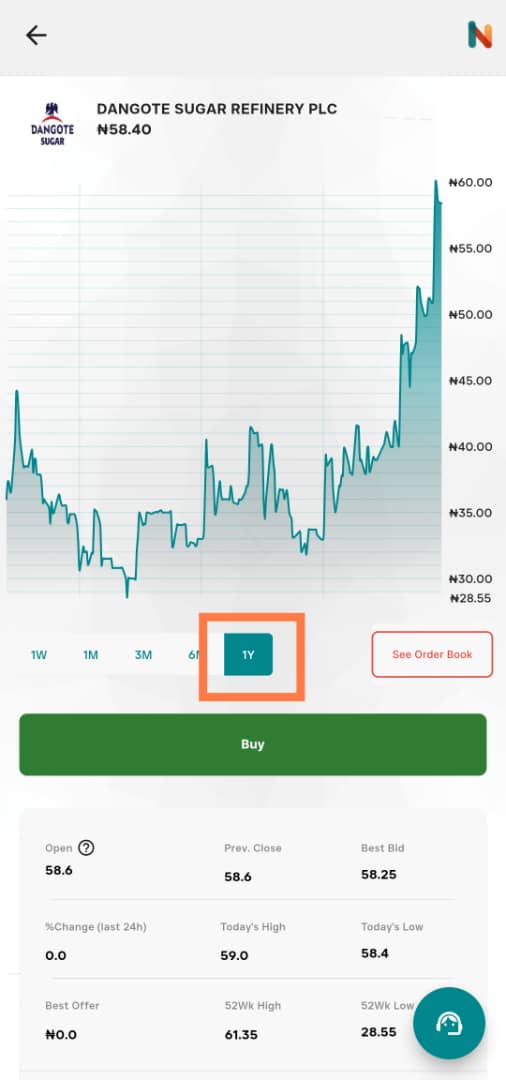
- Tap Buy when you are ready.
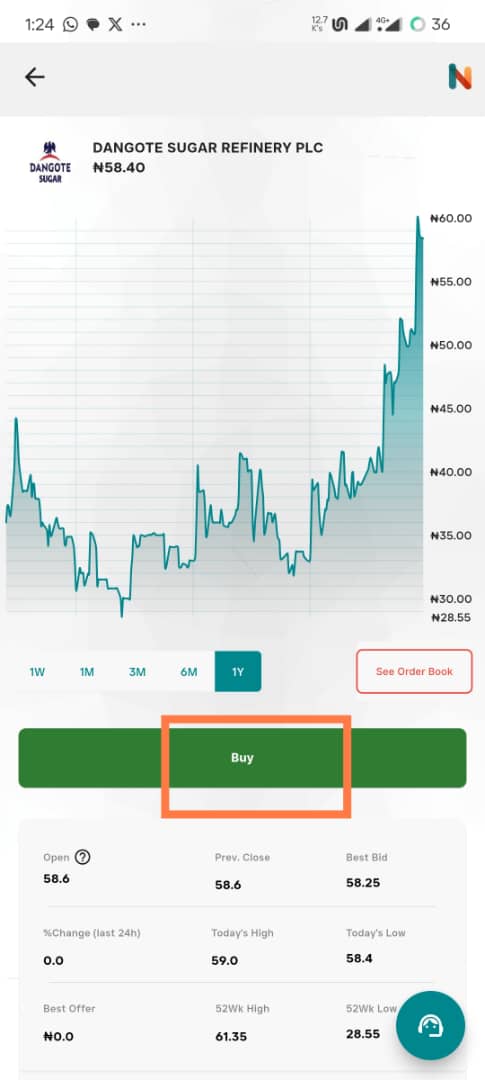
- Choose order type (market vs limit) and time-in-force (e.g. good-for-day / good-till-cancelled).
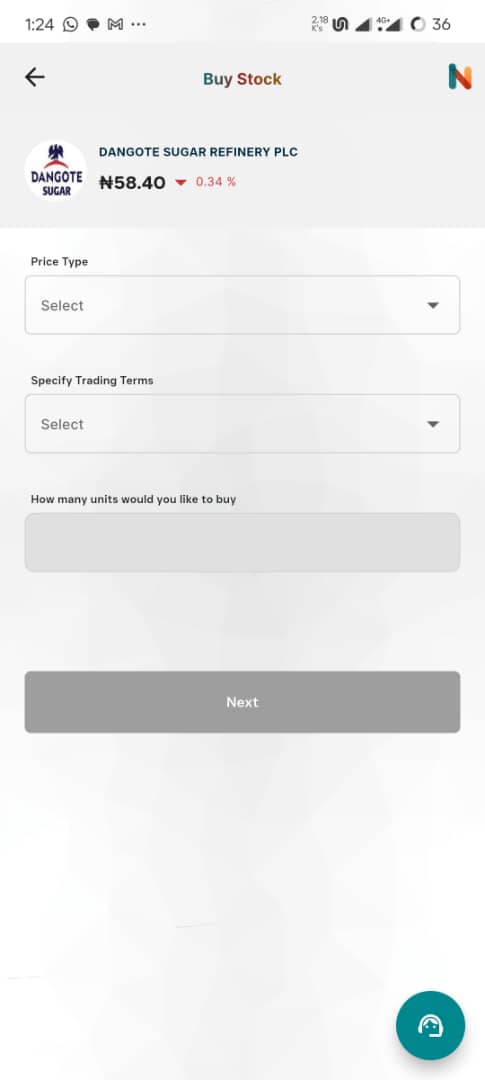
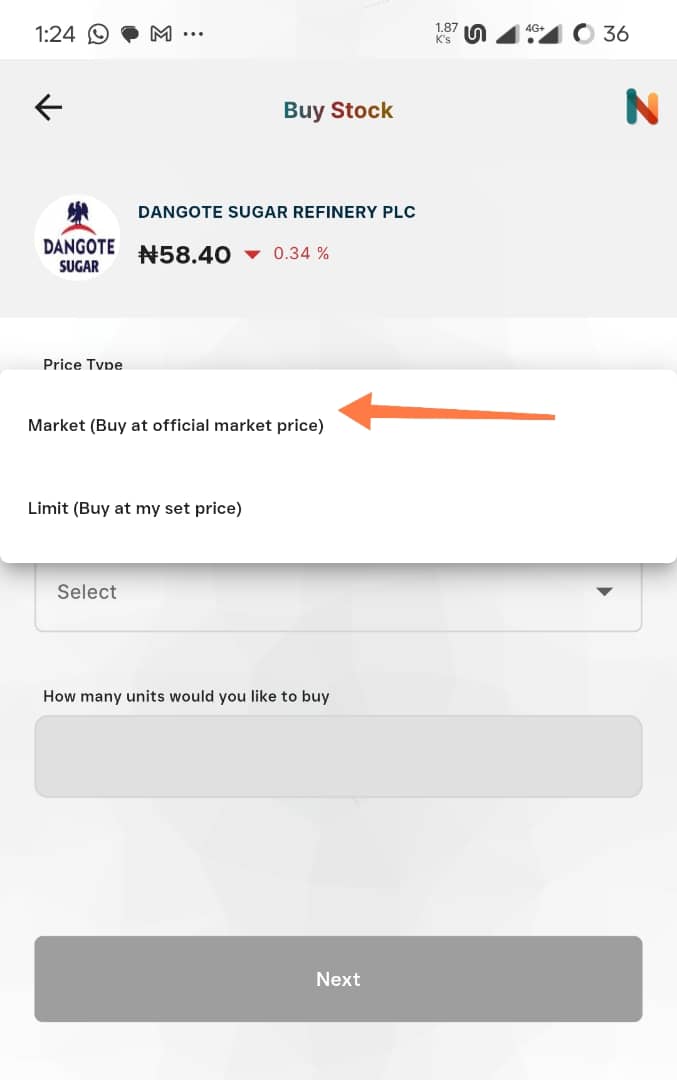
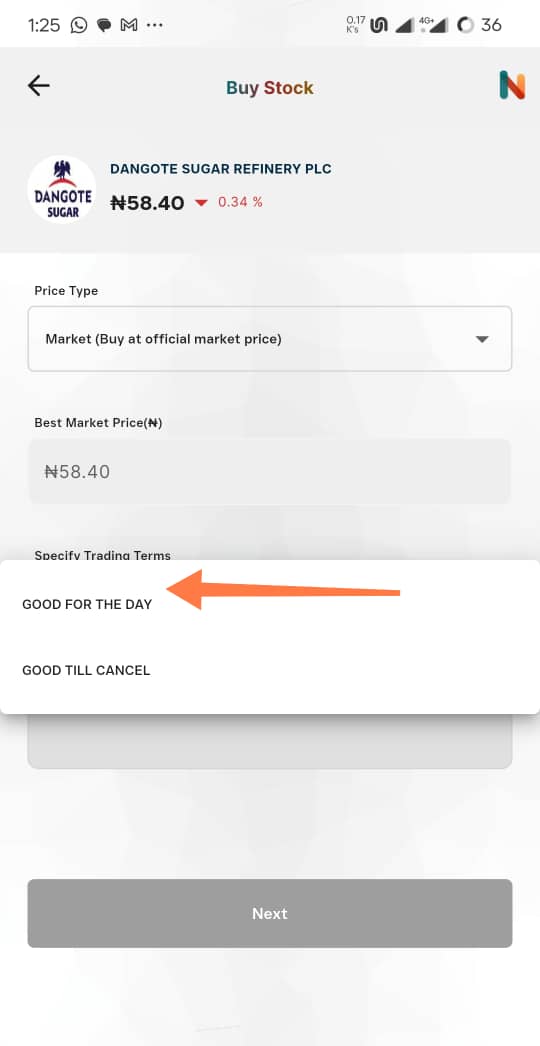
- Enter units (example: 20).
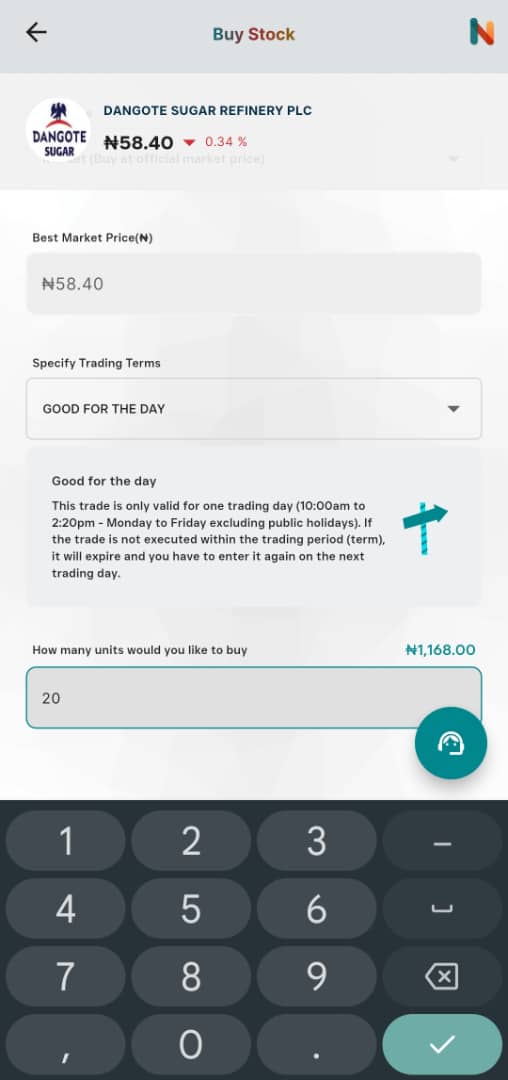
- Review estimated total and fees.
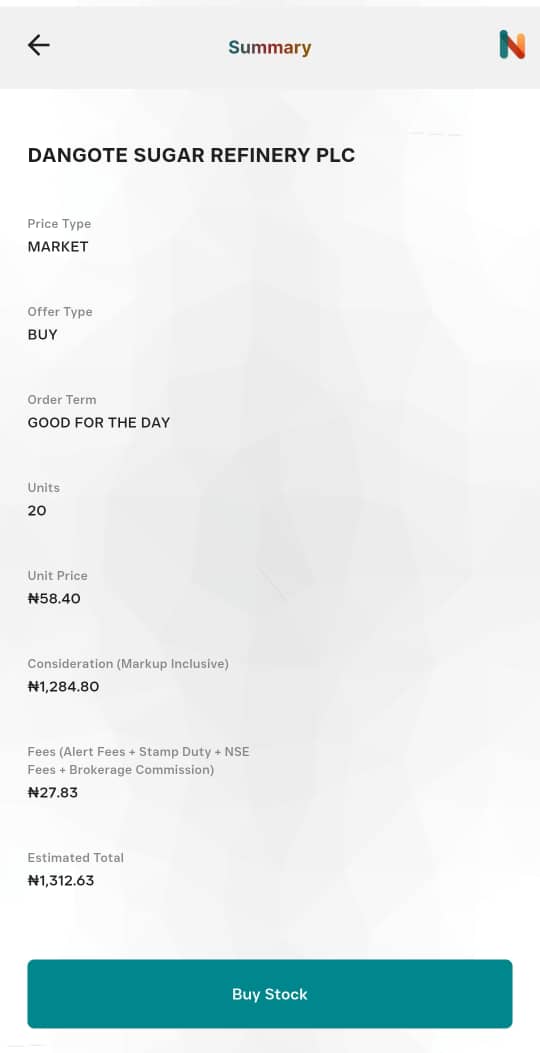
Brokerage and exchange fees are not riba in the usual sense — they are service and regulatory costs. Still read the breakdown so you know what you pay.
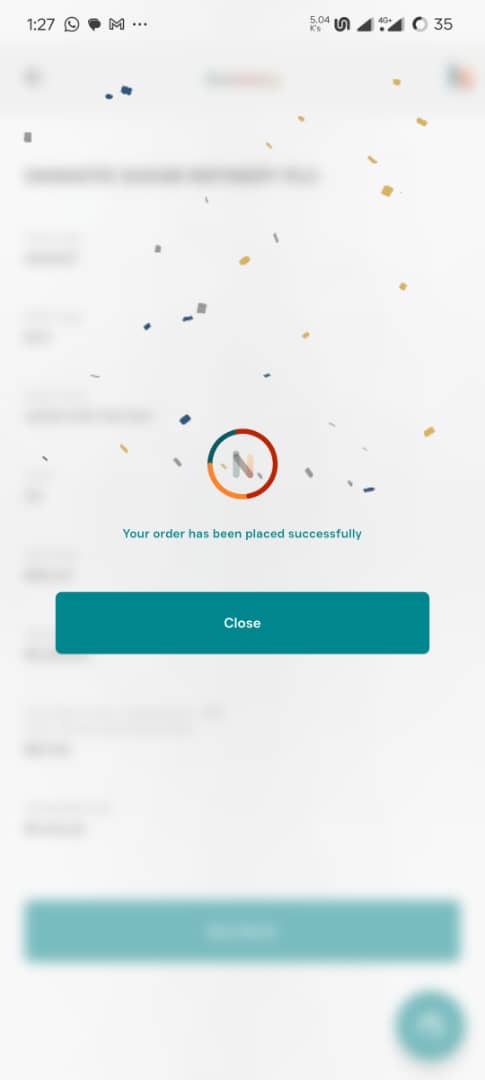
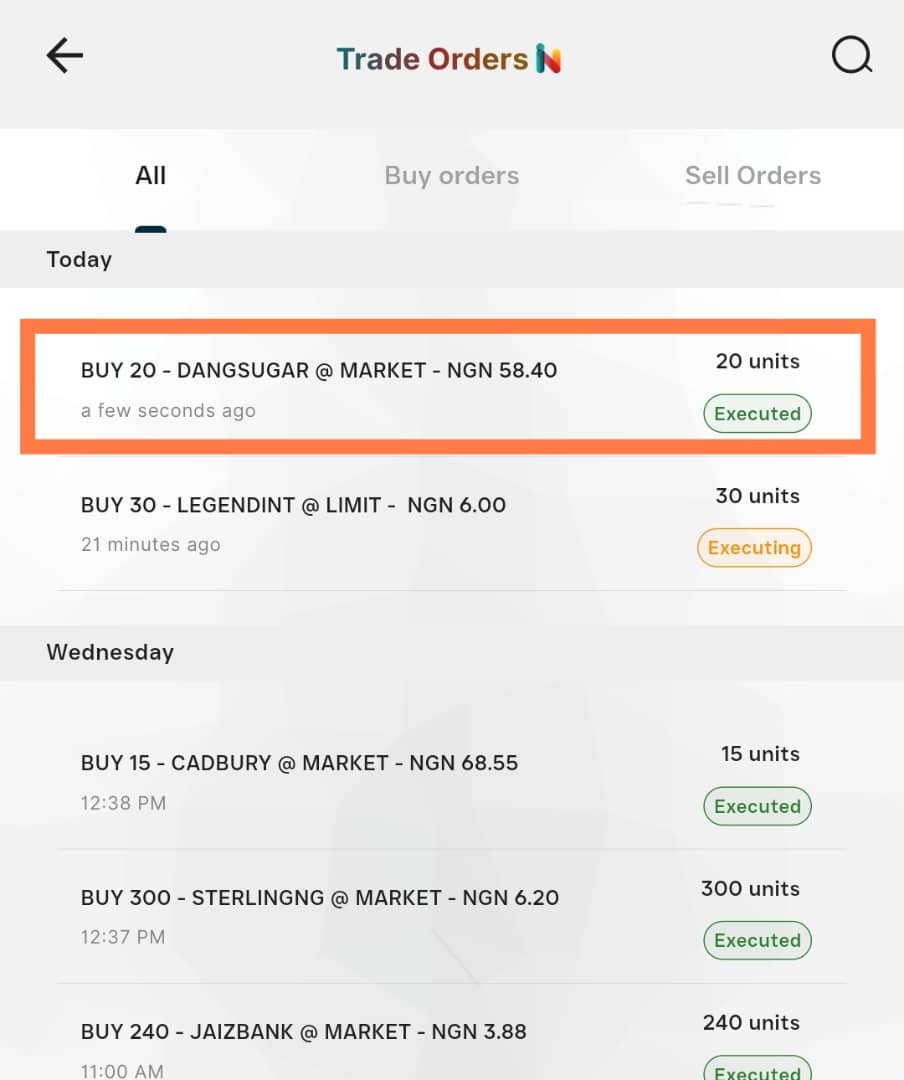
- Submit Buy stock. On success you should see Executed (or similar) and receive confirmations / contract notes.
Example numbers (illustrative trade)
| Item | Value |
|---|---|
| Price / unit | ₦58.40 |
| Units | 20 |
| Subtotal | ₦1,168 |
| Platform + NGX fees | ₦27.83 |
| Total | ₦1,312.63 |
Common questions
Q: Are InvestNaija fees riba?
A: They are operational and market charges, not “guaranteed return on a loan” riba — but read the line items.
Q: Are all stocks halal?
A: No. You must screen business lines and financial ratios (debt, impure income, etc.).
Names worth researching (not recommendations)
| Company | Why people look at it |
|---|---|
| Jaiz Bank | Islamic bank — still verify ratios and reports |
| Legend Internet | ISP — tracker had it as “preliminary” pending full ratios |
| Airtel Africa | Often screened clean in simplified sheets |
Always reconcile with fresh annual reports and your own scholar / advisor framework.
Selling
Open the position you already hold — you should see Sell and Buy more instead of only Buy. You can sell at market or set a limit minimum price.
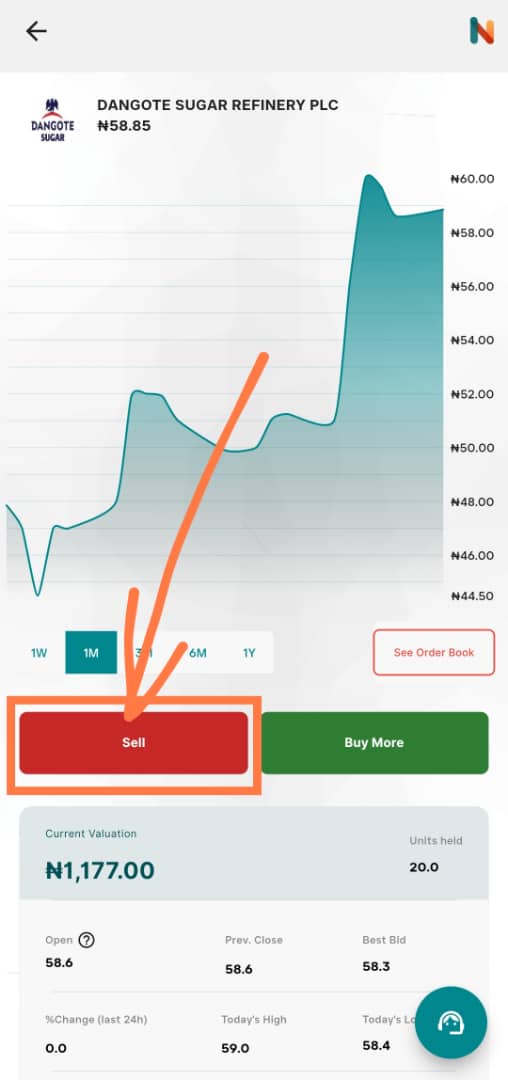
Screenshots follow each step so you can compare with what you see on your phone. Menus and labels can change when the app updates — if something no longer matches, use the written order of steps as the main guide.
More in this series: Overview · Stock tracker
Tags
Enjoyed this?
Get notified when I publish new articles. No spam, unsubscribe anytime.
Or follow via RSS